Clinic
Today
The board the whole front office works from.
Today is the first screen of the day, and the home of the branch.
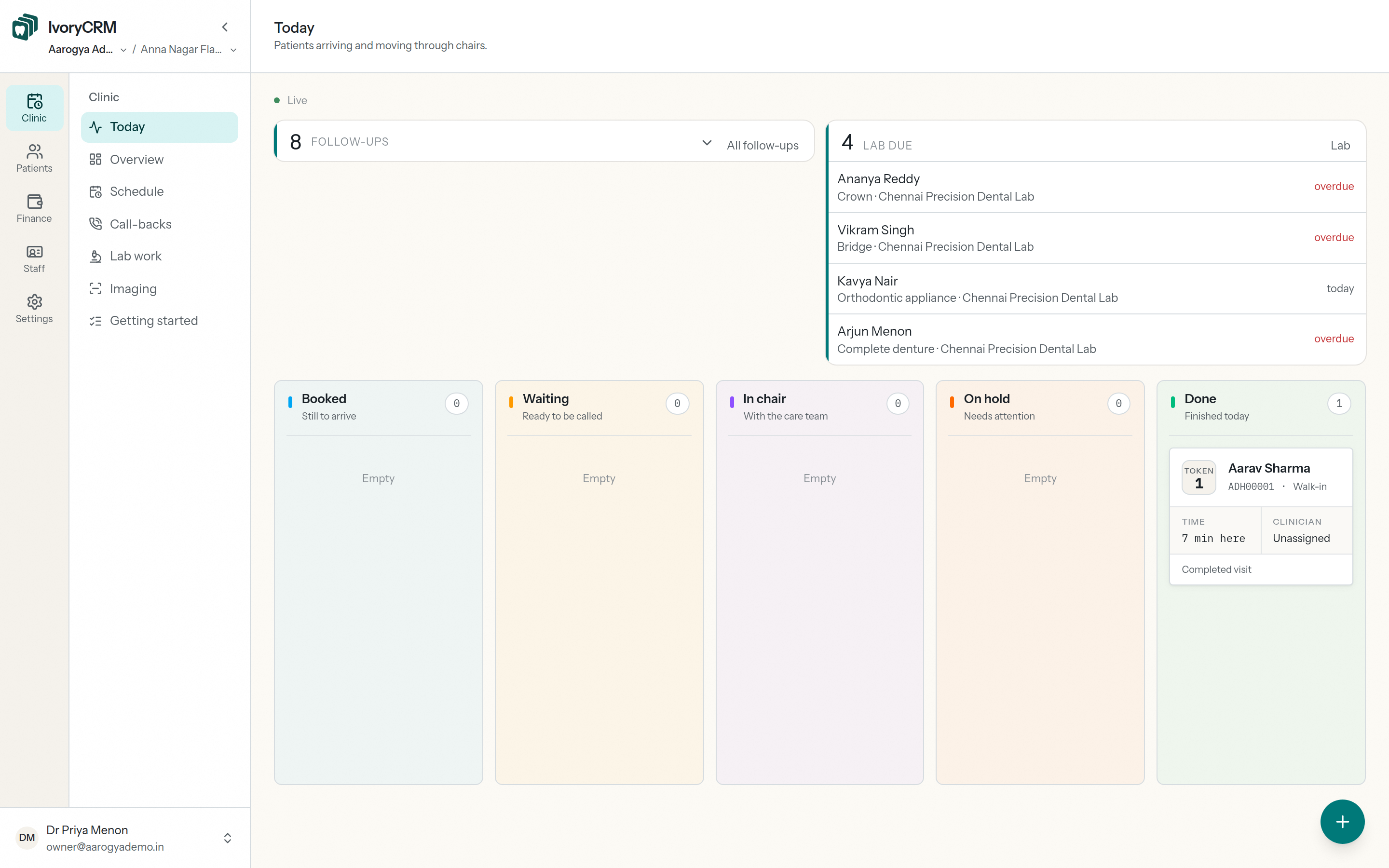
- 1Modules: Clinic, Patients, Finance, Staff and Settings — only what your role allows.
- 2Waiting — arrived, waiting for a chair. The card shows how long they have been here.
- 3A card. Drag it to another lane, or use the buttons on it.
- 4The floating button, on every screen of the branch.
What each lane means
- Booked — people with a time who have not walked in yet. Arriving moves them into Waiting.
- Waiting — arrived, waiting for a chair. The card shows how long they have been here.
- In chair — with a clinician.
- On hold — needs attention before it can continue.
- Done — finished today.
Press Done on a card and the visit asks whether it should be billed:
Bill this visit and finish raises the invoice from what was charted, and
Finish without a bill closes it with nothing to charge. Both need
visit.update; raising the bill also needs billing.invoice, so a front desk
without billing rights sees only the second button.
Someone walked in
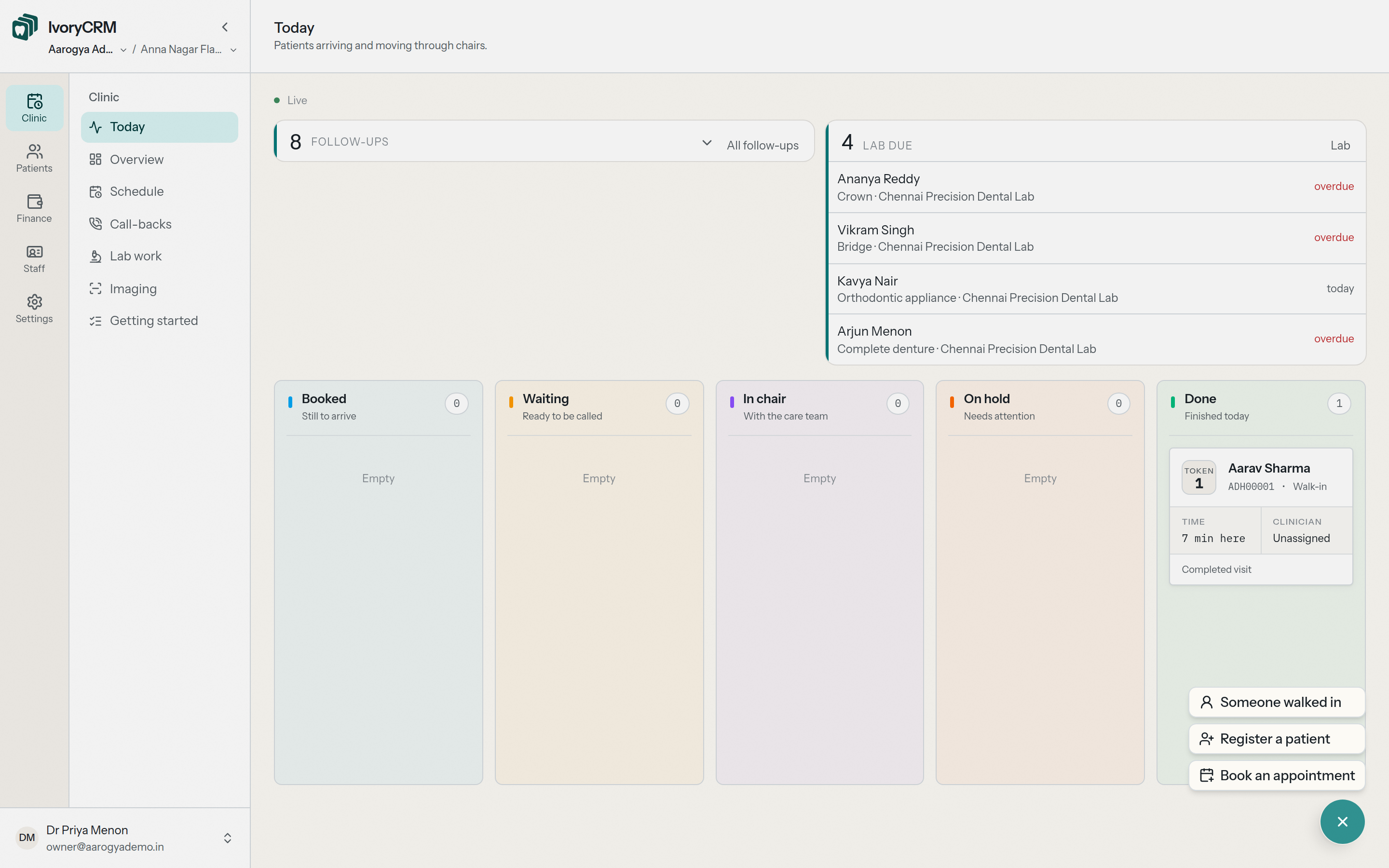
- 1Someone walked in — search by name, phone or UHID and give them the next token.
- 2Register a patient — the full record, when there is time to take a history.
- 3Book an appointment — the day’s schedule.
The dialog searches as you type:
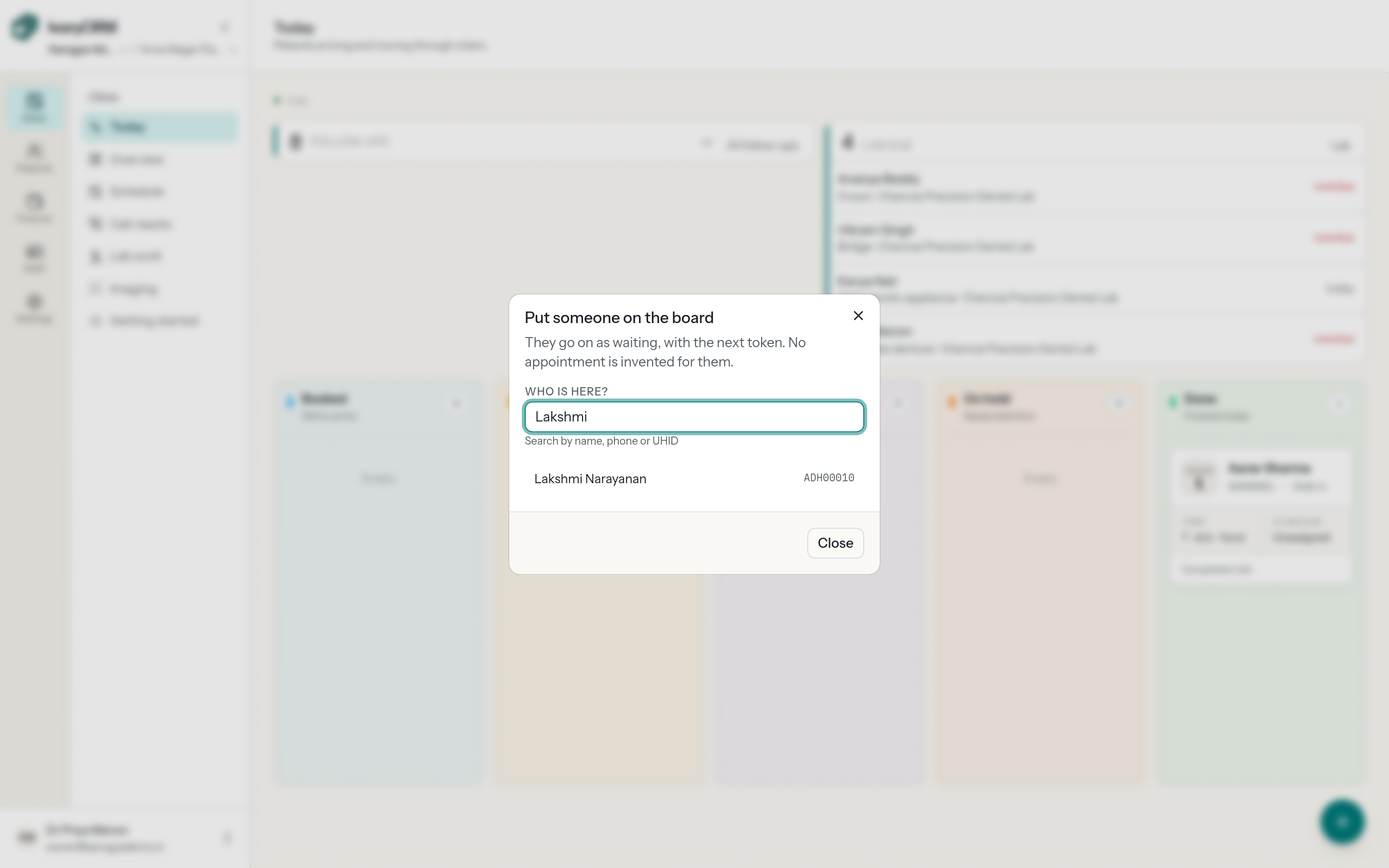
- 1Type a name, a phone number or a UHID. Two characters are enough.
Registering from here takes a name, an optional phone and nothing else — enough to see the patient today. The address, date of birth and medical history can be filled in later on their record.