Patients
The patient list
Every record in the chain, and how to read a row.
Use this when you want to browse rather than search.
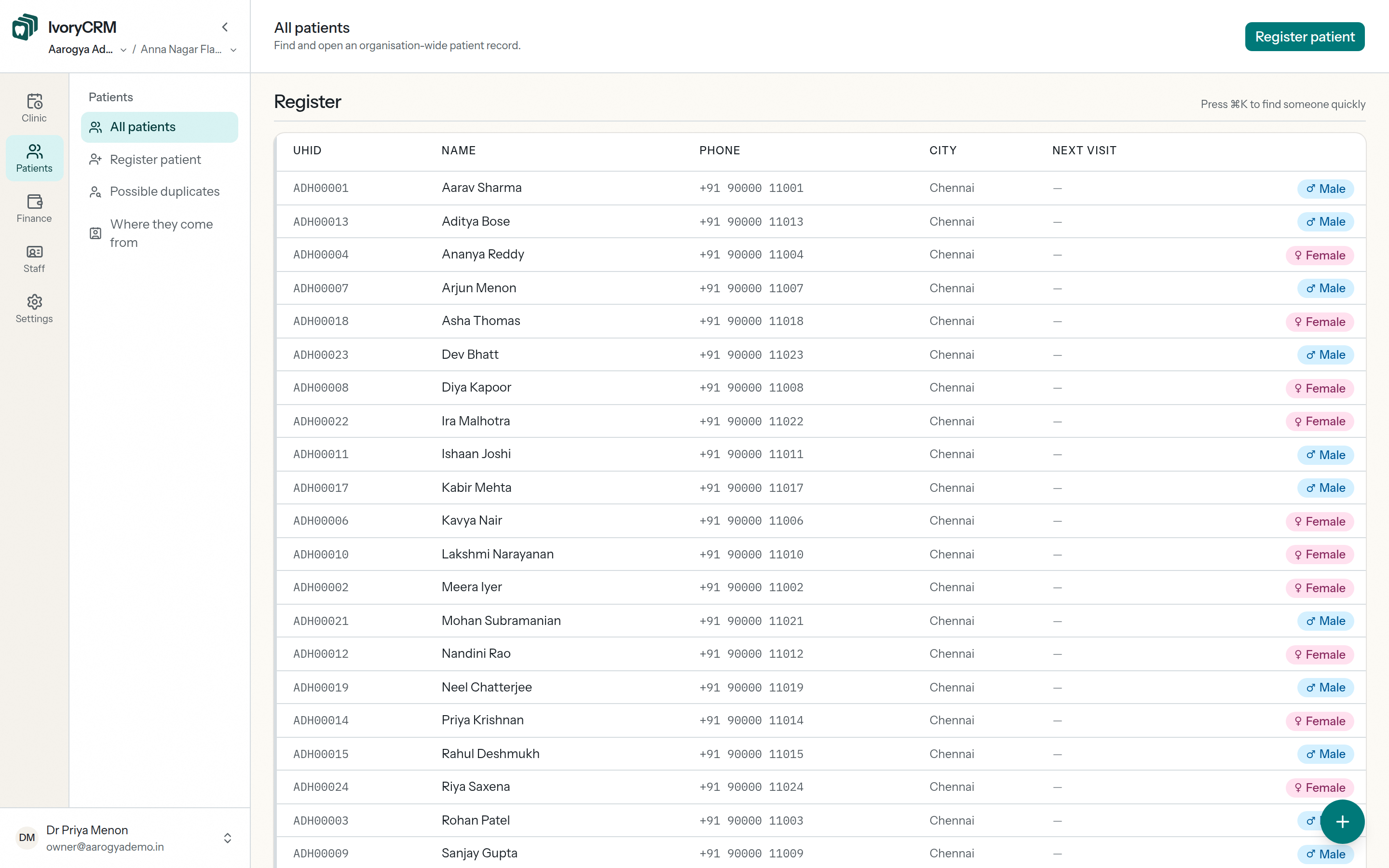
- 1Every patient in the chain, not just this branch’s.
- 2A row. Click it to open the record.
Steps
- Open Patients → All patients.
- Type in the search box, or press ⌘K to search from anywhere.
- Press a row to open the record.
What happens next
A row opens the record, and the search box narrows the list by name, phone or UHID.
Reading a row
- UHID — the number the clinic quotes on the phone and on paper.
- Name — the patient's, as they gave it.
- Phone — searched by its last ten digits, whatever spacing was typed.
- Next visit — when one is booked.
Rules
- The list is organisation-wide: someone who first came to another branch is still here.
- A patient you open from another branch is still the same record; only appointments, visits, bills and stock belong to a branch.