Money
Invoices
What has been billed, what has been collected, and what is still owed.
Use this when a bill has to be found, paid, printed or checked.
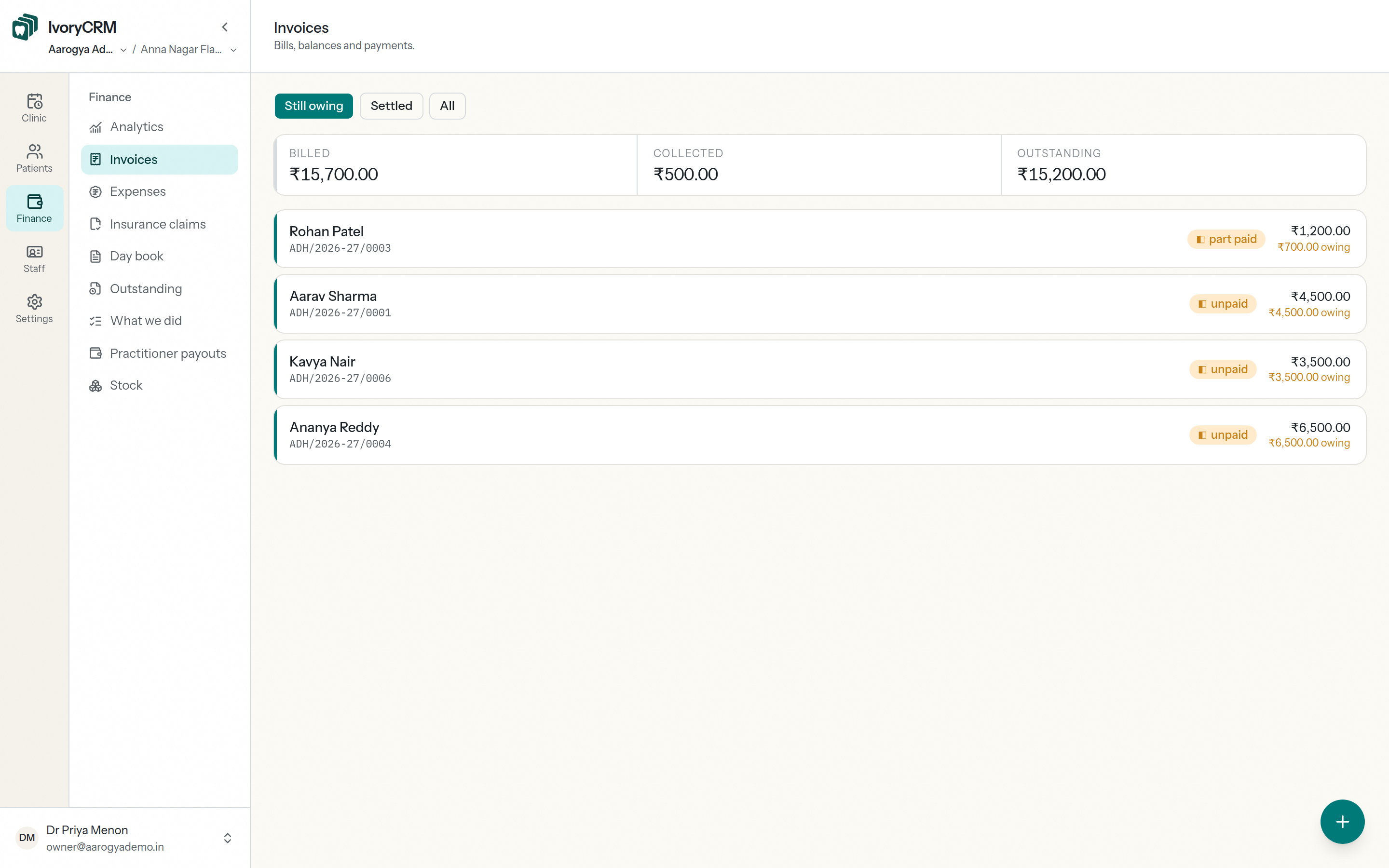
- 1Still owing, settled, or everything. The list opens on what is still owed.
- 2Billed, collected and outstanding for this branch.
- 3A bill: the patient, the invoice number, the total and the part still owing.
Steps
- Open Finance → Invoices.
- Choose Still owing, Settled or All.
- Press a row to open the bill, take a payment or print it.
What happens next
The list shows what is owed at a glance, and a row opens the bill with its payments.
Where a bill comes from
Bills are raised from a visit: Done on the board offers to bill it, and the visit screen has Raise invoice. The invoice carries the treatments charted in that visit, which is why the amount is usually right without anyone typing it.
Rules
- Totals at the top cover the whole list, not the filter you are looking at.
- A payment never edits a total. Refunds and voids are their own entries, so the day book can explain itself later.